
1
Capture the booking
Create bookings manually or ingest them via iCal. Claveo turns each reservation into an operational object with guest-link and compliance status.
Each stage produces the next one: bookings create guest links, completed forms unlock exports or submissions, and every important action leaves operational history behind.
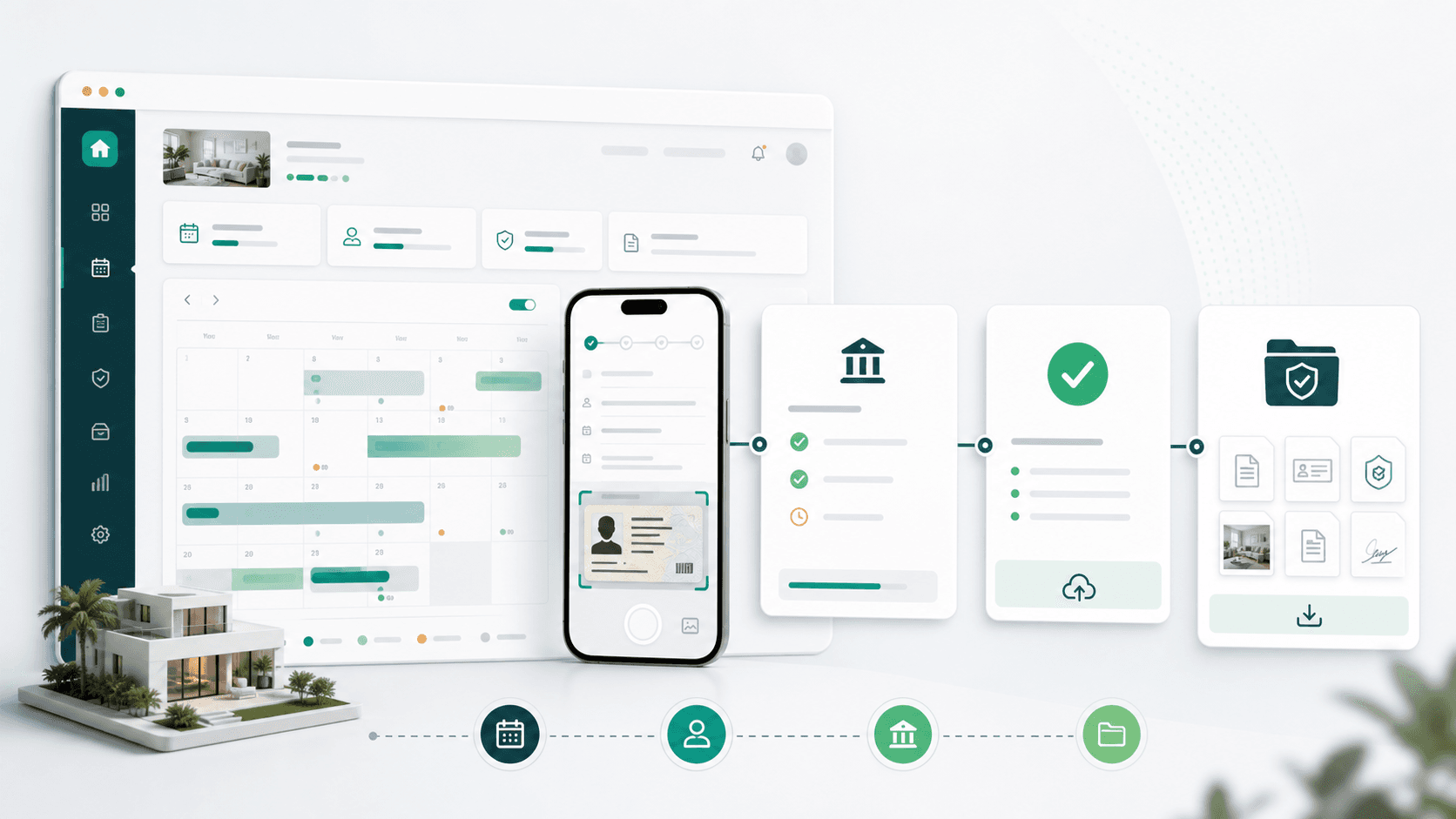
A booking creates the guest link, the completed form unlocks reporting, and the final record stays connected to the evidence trail.
Create bookings manually or ingest them via iCal. Claveo turns each reservation into an operational object with guest-link and compliance status.
Send one guest link, let guests finish later, fill details from a document photo, and avoid storing document copies when you do not need them.
Submit to SES.Hospedajes when credentials are configured, keep XML/export fallback, and use higher-plan recovery tools when reports need follow-up.
Use evidence exports, audit logs, informative models, and retained history when finance, ops, or inspectors ask for proof.
Add owner and team roles, iCal imports, guest billing, evidence, and portfolio controls with role-based access around guest data.
Once the workflow is clear, plan choice becomes simple: Solo for one property, Pro for more capacity and proof, Agency for more users, owner roles, and portfolio operations.